Most "best console emulator" articles either try to cover everything in one flat, confusing list, or quietly avoid the topic that's actually most relevant in 2026: which of these tools are on solid legal ground, and which ones you should think twice about. This guide takes the more useful approach — organized by manufacturer and console generation, so you can go straight to the system you actually want to play, with the current legal picture addressed honestly rather than ignored.
How Emulation Actually Works (and Why Some Consoles Are Harder Than Others)
Every console emulator has the same basic job: translate instructions built for one processor architecture into something your PC's CPU and GPU can execute, while also recreating the console's custom hardware — its graphics chip, audio hardware, and controller input — in software. The older and simpler the original hardware, the easier this is. That's why PS1 and SNES emulation has been rock-solid for over two decades, while PS3 emulation (with its unusual Cell processor architecture) was considered nearly impossible for years before RPCS3 cracked it, and full-speed, broadly compatible PS5 emulation still doesn't meaningfully exist anywhere in 2026.
This is also why "best emulator" isn't one answer — it's one answer per console, because the engineering challenge is different for each one, and different projects have focused their years of development on different systems.
A Word on Legality Before You Start
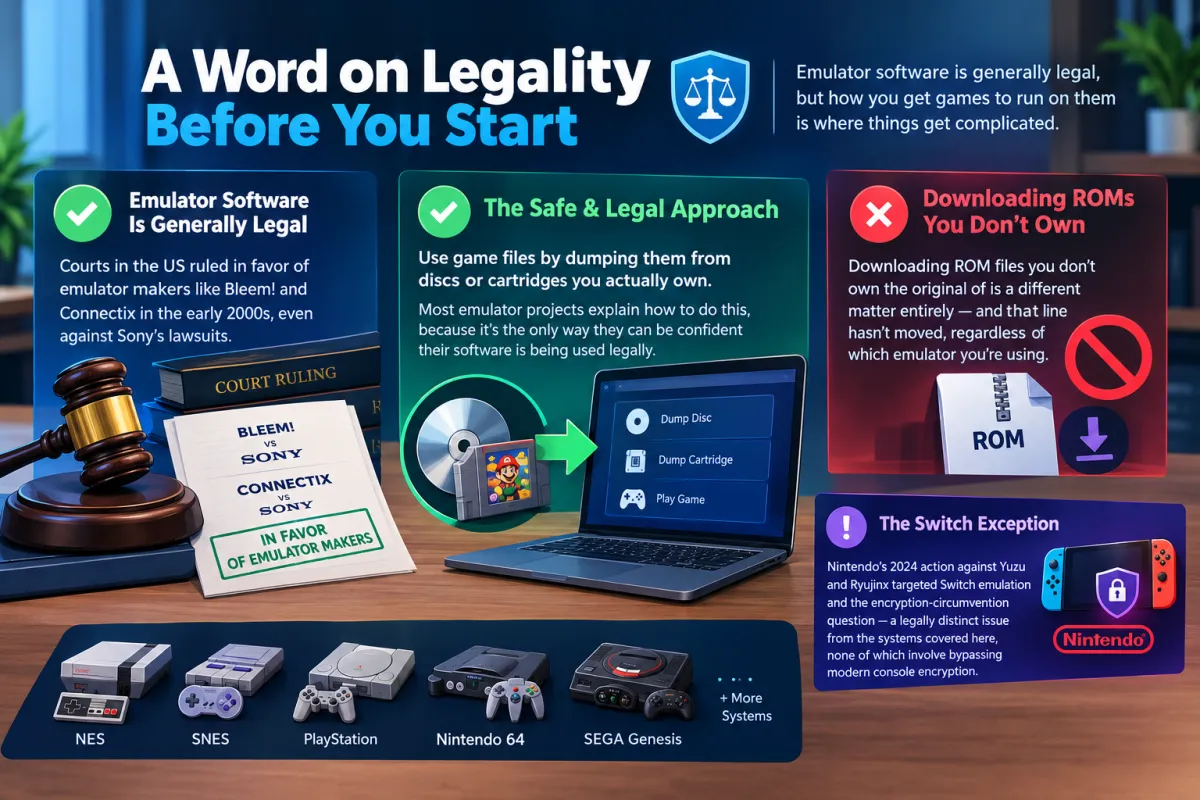
Emulator software itself is generally legal — courts in the US ruled on this decisively with Sony's own lawsuits against Bleem! and Connectix in the early 2000s, and both went in the emulator makers' favor. What's legally murky is how you get games to run on them. The safest, uncontroversial approach for every emulator below is dumping game files from discs or cartridges you actually own — most of these projects explicitly document how to do this, because it's the only way they can be confident their software is being used legally on your end. Downloading ROM files you don't own the original of is a different matter entirely, and that line hasn't moved regardless of which emulator you're using.
Nintendo's 2024 action against Yuzu and Ryujinx specifically targeted Switch emulation and the encryption-circumvention question that comes with it — a legally distinct issue from the systems covered here, none of which involve bypassing modern console encryption.
Sony PlayStation Family
This is the most actively developed corner of console emulation right now, with a genuinely mature tool for nearly every PlayStation generation.
DuckStation is the current standard for original PlayStation emulation, having largely taken over from older PS1 emulators thanks to more accurate timing and cleaner upscaling of the original games' notoriously wobbly 3D graphics.
PCSX2 is the long-running, definitive choice for PS2 emulation — it's been in active development for over two decades, and at this point compatibility with the PS2's enormous game library is about as complete as it's likely to get.
RPCS3 tackles the PS3, which was considered close to unemulatable for years because of its unusual Cell processor design. It's come remarkably far since — you'll want a genuinely capable CPU for the more demanding titles, but a wide range of the PS3 library now runs at solid speeds.
PPSSPP handles the PSP and is about as close to "install and it just works" as console emulation gets — the PSP's hardware was always closer to a simplified PS2 than a separate architecture, which makes it one of the friendlier systems to emulate well.
Vita3K is the PS Vita option, and it's fair to set expectations here: Vita emulation is newer and less mature than the others in this group, so treat it as actively-improving rather than as polished as PCSX2 or DuckStation just yet.
Nintendo (Pre-Switch Generations)
Dolphin handles both the GameCube and the Wii, and has done so since 2003 — it's one of the longest-running emulation projects still in active development, and one of the most polished pieces of emulation software that exists for any console.
Project64 is the veteran N64 option. N64 emulation has historically been trickier than it looks because of the console's unusual expandable-memory design and its graphics chip's quirks, and Project64 has spent years refining compatibility around exactly those issues.
melonDS covers the Nintendo DS, including its dual-screen setup and touch input — genuinely well suited to DS games that leaned heavily on the second screen and stylus, not just an afterthought bolted onto a single-screen emulator.
Microsoft Xbox Family
Cxbx-Reloaded targets the original Xbox, a console whose hardware was unusually close to a stripped-down PC to begin with — which helps compatibility, but development has still taken years of careful work to get where it is today.
Xenia is the Xbox 360 equivalent, tackling a considerably more complex piece of hardware than the original Xbox. It's demanding on your PC, but active development keeps steadily expanding its compatible game list.
Sega Systems
Kega Fusion is the reliable all-in-one option for Sega's older hardware — Genesis/Mega Drive, Master System, and Game Gear — in a single lightweight package rather than three separate downloads.
Classic Nintendo Handheld/Console Hybrid
SNES9x remains one of the most established SNES emulators around, with the kind of broad compatibility you'd expect from a project that's had decades to mature.
What Your PC Actually Needs
This varies more by console generation than almost any other factor. PS1, SNES, Genesis, and DS emulation runs comfortably on nearly any PC built in the last decade — the original hardware is modest enough that even a budget laptop's CPU dramatically outpaces it. PS2, GameCube/Wii, and N64 emulation want a solid modern CPU and a dedicated GPU if you're pushing upscaled resolutions above the original hardware's output. PS3 and Xbox 360 emulation are the most demanding tier here — both original consoles used complex, unusual hardware designs that take real CPU power to translate accurately, so budget for a recent multi-core processor if RPCS3 or Xenia are your priority.
Getting Set Up Safely
The same rule applies here as with any emulator: get your installer from the developer's own site or a page you trust — each emulator linked above has its own setup guide with the current installer — and dump any game files from hardware and discs you actually own rather than downloading ROMs from third-party sites. Beyond the legal clarity that gives you, official dumps also avoid the corrupted or tampered files that pirated ROM sites are notorious for.
Frequently Asked Questions
What's the best PS2 emulator? PCSX2, without much argument — it's been the standard for over 20 years and its compatibility with the PS2 library is extremely mature at this point.
Can I emulate the Nintendo Switch legally? This is genuinely unresolved territory. Nintendo's 2024 legal action shut down both major Switch emulators (Yuzu and Ryujinx), and the company has stated there's no lawful way to use them to play current Switch games. If you're specifically interested in this, understand the legal landscape has shifted significantly and isn't fully settled.
Is PS3 emulation actually usable now? Yes, far more than it used to be. RPCS3 has made major strides on hardware that was once considered nearly impossible to emulate, though the most demanding titles still need a genuinely capable modern CPU.
Do I need to own the original game to emulate it legally? The legally uncontroversial path is dumping games from discs or cartridges you actually own. Downloading ROMs you don't own the original of is a separate, legally riskier issue regardless of which emulator you're using.
Which console is easiest to emulate well? Older, simpler hardware emulates more completely — PS1, SNES, Genesis, and DS all run close to flawlessly on modern PCs. PS3 and Xbox 360 remain the most technically demanding systems to emulate accurately.
Our Picks by System
- PS1: DuckStation
- PS2: PCSX2
- PS3: RPCS3
- PSP: PPSSPP
- GameCube/Wii: Dolphin
- N64: Project64
- Nintendo DS: melonDS
- Original Xbox: Cxbx-Reloaded
- Xbox 360: Xenia
- Sega Genesis/Master System/Game Gear: Kega Fusion
- SNES: SNES9x
Every emulator above links through to a setup guide with the current installer and system requirements specific to that console — worth checking before you install, especially for the more hardware-demanding systems like PS3 and Xbox 360.

![Best Android Emulator for Low-End PCs [2025]](/storage/blog/images/best-android-emulator-for-low-end-pcs-2025-1_SsFbyyId.webp)